

Today’s run,measured for real
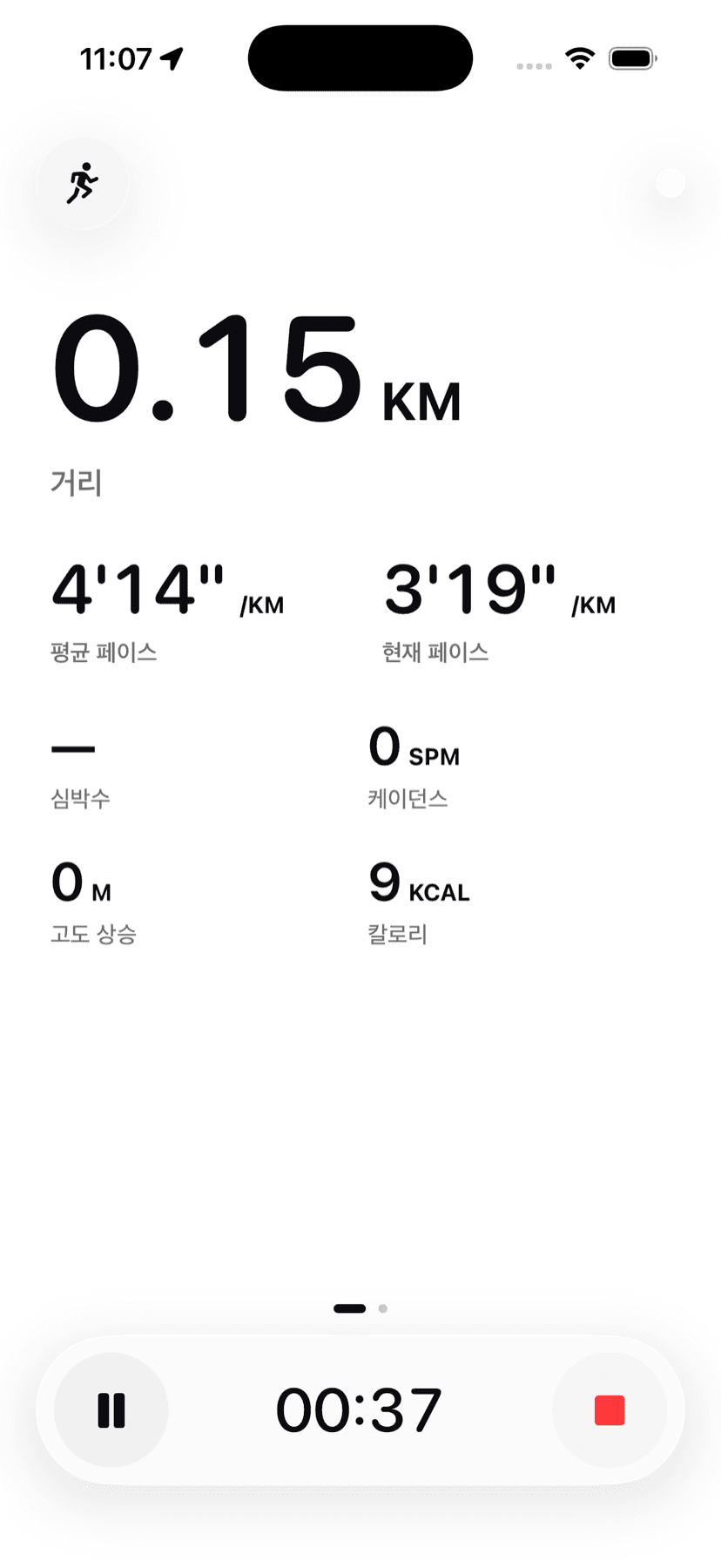
GPS and step data read together for distance, pace, elevation and cadence — never estimated.
Bump, and you’rerunning together
Hold your iPhone near the person beside you and a group forms. No rooms, no invite links, no friend requests.
And it staysas one card
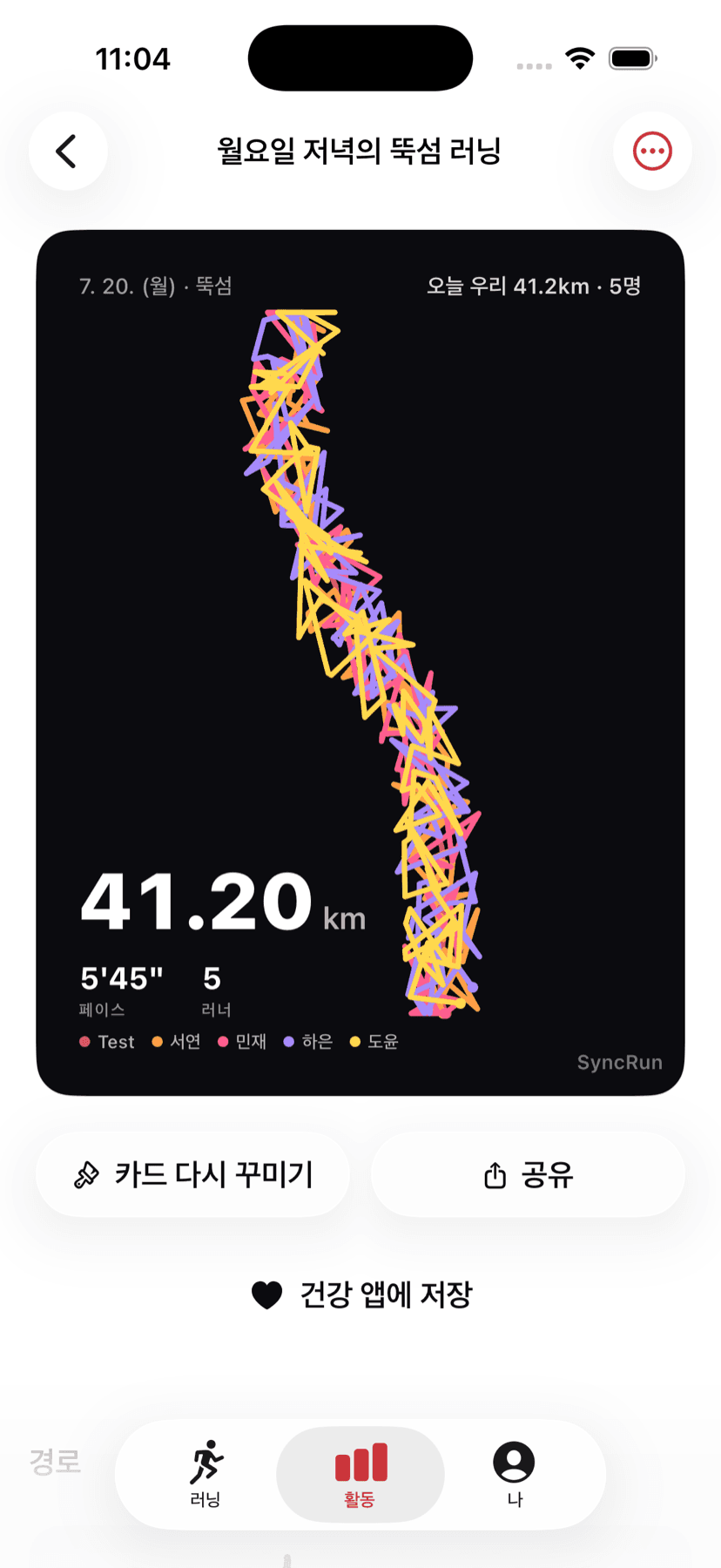
By the time the run ends, the card is already made. Each runner’s route is drawn in their own color, layered together.
There is one button
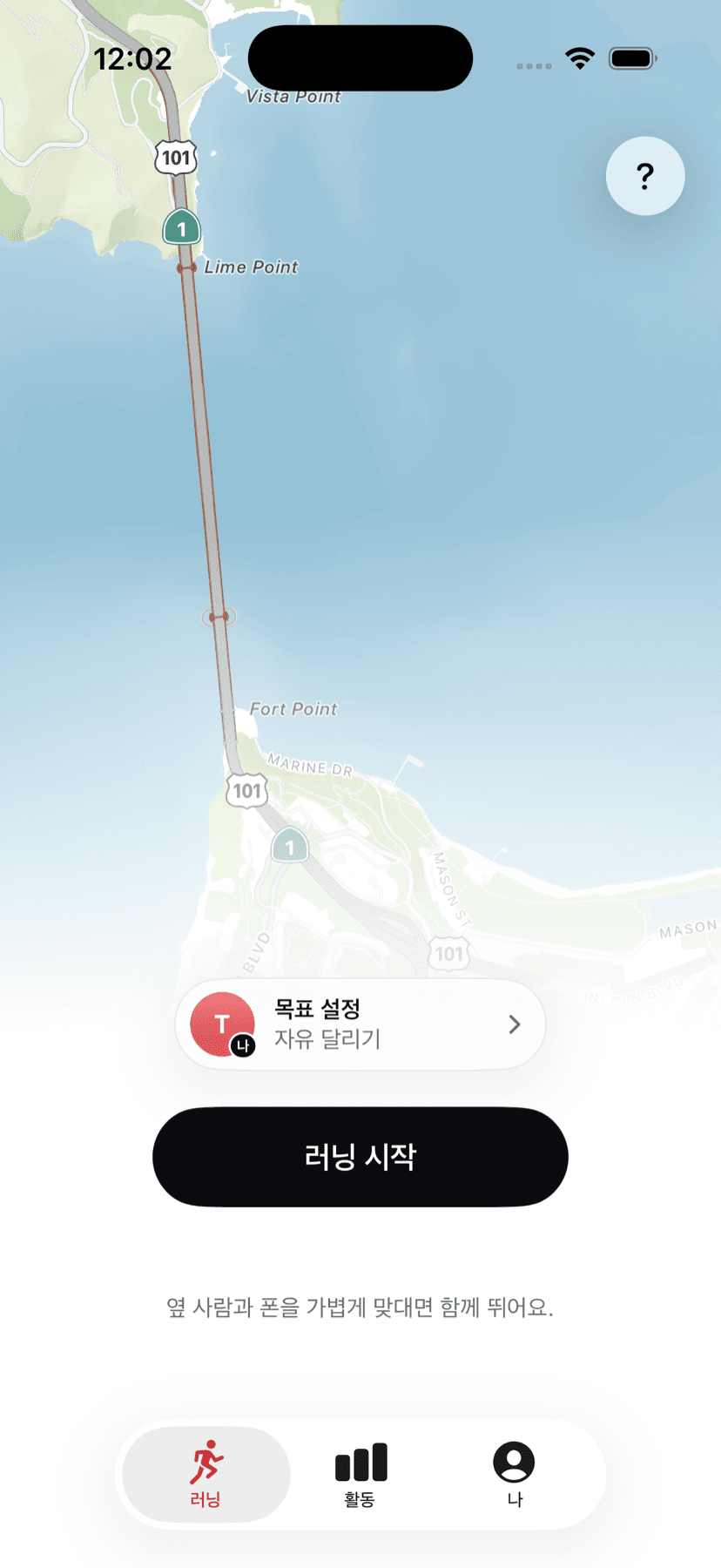
No screen and no toggle for choosing solo or group. The same button in the same place only changes its label and headcount.
- StartSolo
- 2ReadyBumped
- 5StartLast runner
- Tap it and you run solo
Goals and courses are all optional; the default is simply to run. Tap, and you leave after 3·2·1.
- Bump and the headcount grows
Once a group forms the button turns into Ready, and the counter fills as people tap. Everyone sees who is set.
- The last person starts it
When one person is left, their button turns back into Start and everyone leaves in the same instant.
You become a group on the spot
Hold your phone close to your running partner’s. Only the people you bring close become your group, and the headcount ticks up one at a time. No shaking, no tapping.
- Only the people beside you
Among two hundred runners on the riverside, only the one who brought their phone close joins. Strangers never slip in.
- From 2 up to 30
Bring one more person close to a formed group and they join as is; bring two groups together and they merge into one.
- Join request as a fallback
On a phone without precise distance measurement, or if nothing forms within 8 seconds, a join request opens. The other person has to accept.
While you run, you see each other
Everyone’s location and pace stream in the same moment. You can see where each person is on one map.
- Live location and pace
Everyone’s position flows on one map, with group distance and average pace pinned on top.
- High five
Tap a partner while you run and it lands as a buzz on their wrist.
- Spreading out is fine
Run at your own pace and it is still one session. Nobody is nudged to catch up.
- A drop loses nothing
Your record keeps building through a disconnect, and the session is restored when it reattaches.
When you stop, it is already made
By the time the run ends, the card is finished. One card — never separate personal and group versions.
- One of three backdrops
Signature color, your own photo, or the map. Photos stay on your phone; everyone else sees the signature.
- Your route, or everyone’s
Each runner’s route is drawn in their own color, layered together.
- Move the pieces yourself
Place the numbers and the route by hand. Simple, or detailed.
And it adds up
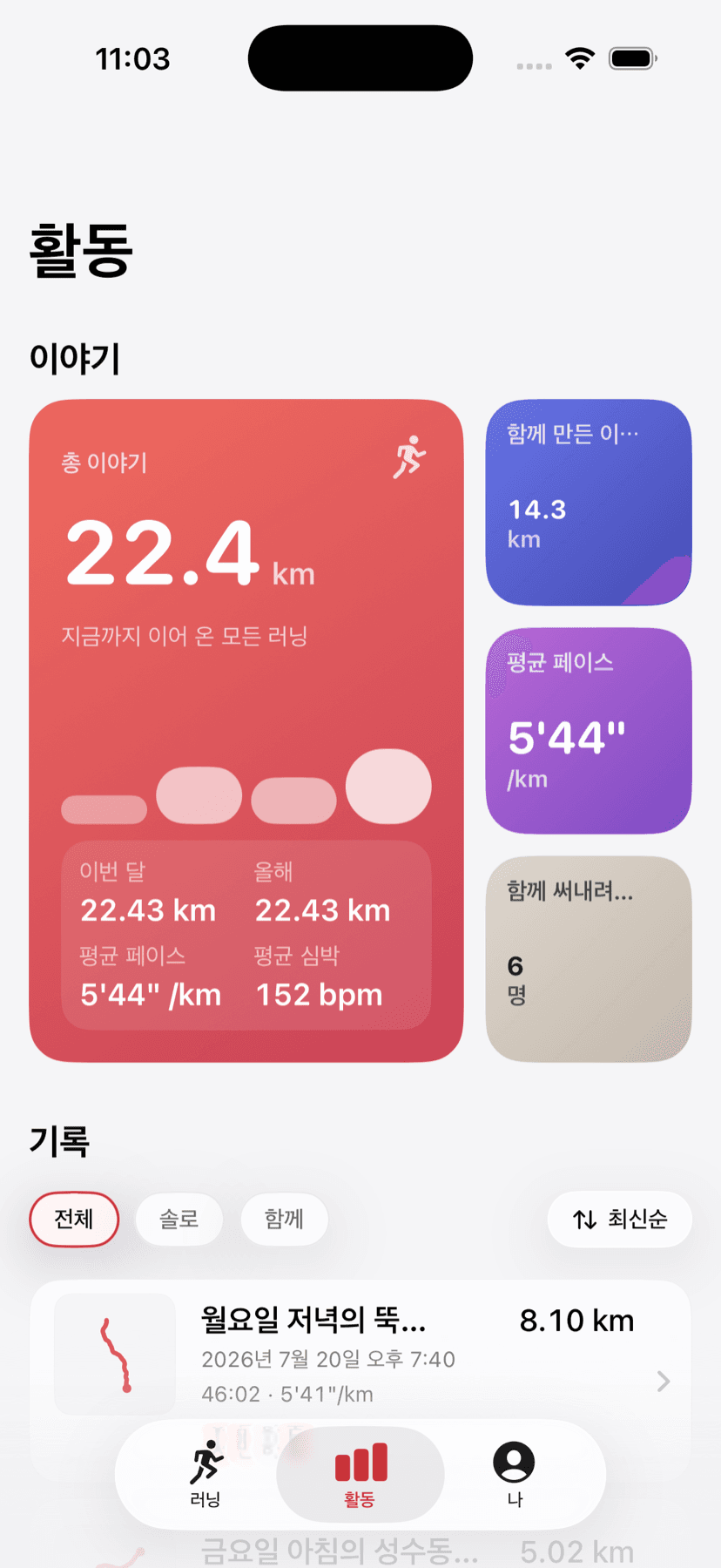
The distance you’ve carried this far, the runs you made together, average pace and heart rate — gathered into one screen. Look back at solo and together separately, and open any record as a card again.
Everything else a run needs
Beyond the moment you run together, everything you need to keep running.
- Measured run metrics
GPS and step data read together for distance, pace, elevation and cadence — never estimated.
- Apple Watch
Start from your wrist and record heart rate alongside.
- Live Activity · Widgets
Check your run from the Lock Screen and Dynamic Island.
- Health app
Export finished runs to the Health app.
- Voice coach
Pace and splits called out in your ear.
- Route replay
Play the path back and revisit that day’s run.
Shall we runtoday?
Together if someone’s beside you, solo if not. Either way there is one button.